
Last updated on September 5, 2025
Followed Footsteps | Illustration by Glen Angus
Starting to play Magic can be a bit of an undertaking. It’s extremely fun (millions play it, after all), but the mountain called “deckbuilding” can be daunting, especially once you consider format-specific rules.
A lot of new players use decks that friends give them, design for them, or recommend to them. They may move on to using decklists found online, or “netdecking.” One of the biggest hurdles to full involvement in the game is designing and building your own decks, and it’s made much more difficult once you consider the card pool available.
Commander is one of the biggest formats in Magic, and it’s the largest for casual play. Some Commander players can create a new deck by looking at cards and making their own assessments, but most players don’t go into deckbuilding alone. They talk through cards and deck ideas with their friends and playgroups, read articles, watch MTG content creators, start with Gatherer, and then use online resources like EDHREC.
EDHREC is one of the best places to get started when designing a new Commander deck. What makes it good? How can you use it to your advantage? Let's find out!
What Is EDHREC? Why Use It?
Command Tower | Illustration by Evan Shipard
EDHREC stands for “Elder Dragon Highlander RECommendations.” EDH was the original name for Commander before Wizards confirmed it as an official format in 2011. The name “EDH” comes from the first legendary creatures to helm the decks in 1994, the elder dragons, and fandom of the movie Highlander for the singleton building restriction (“There can only be one.”).
You’ll hear both EDH and Commander used to refer to the same format in the community. The reasons why Commander was adopted instead of EDH are boring and legal, and not the point.
EDHREC’s main purpose is as a data-driven resource for deckbuilding in the Commander format. It helps players decide on their “perfect” deck as it tracks of all potential commanders and cards that can be played with them.
EDHREC uses its own database of card information, pulls card data from ScryFall (art, card stats, and mechanics) and Commander Spellbook (for combos), and pulls decklists from Archidekt, Moxfield, and Scryfall. If you design a public Commander deck on any of those sites, your deck contributes to EDHREC's stats.
The main reason to use EDHREC is that it’s a free resource that compiles a lot of info to help you decide which cards work best in your deck based on the mechanics you want with certain commanders.

Take a look at the EDHREC page for Y'shtola, Night's Blessed as the commander. One section talks about cards that synergize well that other players have put into their Y'shtola decks. Should you also run them? That depends on your wants, your wallet, and what you believe is good synergy with the theme you build toward. Without EDHREC aggregating this information, you might pass over cards you didn’t know about.
How to Build a Deck with EDHREC
Step 1: Deciding on a Commander
There are tons of ways to start building decks with EDHREC. You might have a specific commander in mind, have a tribe you want to build for, or just have a general theme you’d like to explore. One of my favorite ways is to find a combo I want and then decide on a deck from there.

You can narrow your options using the “Search” bar at the top of the site by searching for the commander you have in mind, a specific card from the 99 you want to build around, or a specific color combo you want to stick to. It can also help with searching for partner commanders, and those that allow the use of a background.

If you have a specific theme in mind, you can check the “Tags” dropdown for inspiration. You can check themes split by companions, effects, and kindred tribes. The top themes and are listed in the dropdown, and you can go to “Themes” for lots more obscure ones if you feel more adventurous.
Step 2: Exploring the Commander's Stats
Once you've picked your commander or build-around card, you can look through its stats on its page:

There's a lot of data to uncover here so let's take a few pieces that are really juicy:

There are a few different viewing options when it comes to the stats for the card. “As Commander” shows you the stats if you use the card as your commander, while “As Card” is if you use it as part of your 99. “Average Decks,” and “Decks,” show you an average deck using the synergy ratings of the cards that go along with it, and a list of the decks that EDHREC is uses as a base of its ratings.

Most commanders can be used as a foundation for a lot of different strategies. Y'shtola, Night's Blessed can be used as a burn commander, but it’s also really suited for a spellslinger EDH deck. Changing the theme changes the recommendations that the page gives you. “Budget” caters the recommendations to what you can afford, and “Any” is a balanced setting that looks more at synergy rather than cost.

You also have the Commander bracket information, but take the designations with a grain of salt because they are set by users.

The “Combos” page for the commander typically shows three of the most common combos in the decks that make sense with the theme, but it might not show anything if no combo suits the theme.
Step 3: The 99
Card Recommendations

When you look to add specific types of cards to your deck, you can use the card recommendations below the card's stats to get some inspiration on what to add. All sections are dynamic and change as new decks are added to the assessments and ratings, but here are a couple things to keep in mind:
- “New Cards” shows the cards that were made available in the most recent release that would suit the colors and theme.
- “High Synergy Cards” includes synergy that the card has with the theme and only shows cards with the highest synergy regardless of the card type (creatures, enchantments, sorceries, etc.)
Card Stats

Each recommended card has some basic information:
- An image of the card.
- The current market prices for Card Kingdom, and TCGplayer.
- The percentage of decks with the chosen theme containing the card.
- The synergy rating for the card in the chosen theme.
Synergy is the word of the day! It’s not just a corporate buzzword in the world of Magic, it’s the lifeblood of every Commander deck and what makes each theme/tribe unique. The synergy number guides you as to their usefulness as you analyze cards. The higher the percentage, the better.
Save Cards to Your Clipboard

EDHREC helps you keep track of the cards that you want in your decklist. In the upper right near the Search bar is a paperclip with a number. This is your clipboard, where EDHREC tracks any cards you want it to.

How do you get cards in there? A plus (+) appears in the top right of the image whenever you hover over a card. Pressing that plus adds the card to your clipboard.
*Bonus* Step 4 for Precons: Making Cuts

So you're ready to break up and improve a Commander precon, EDHREC offers what I refer to as a “direct recommendation” but this is only available for the Commander decks that Wizards sells.
On this upgrade guide you can easily check out alternate commanders, cards to cut, cards to add and even the land swaps you will want to make. I was gifted Arcane Wizardry a long time ago and want to upgrade the precon. That Naban, Dean of Iteration is a fantastic and affordable card to compliment Inalla, Archmage Ritualist.
How Do I Use EDHREC to View Decklists?

When you view a commander, use the “Decks” button to the right of the commander. Skip down a bit and you'll see “View Decklist” with stats on the decklist's categories.
Can I Use EDHREC to Focus on One Card or Keyword?

EDHREC can help you focus on one card with a certain commander, but it is not great for looking at specific cards with a keyword (Scryfall is a great tool for that). In my example, Y'shtola, Night's Blessed is a great commander to maximize my use of Toxic Deluge, so in the Deck Filters area, I started typing the card name, it popped up so I selected the card and clicked the “+” button to the right and now the green box below it tells me the decks I view will include Toxic Deluge.
How to Add Your Deck to EDHREC
EDHREC pulls decklists from Archidekt, Moxfield, and Scryfall. If you design a legal, public Commander deck on any of those websites, your deck will help them determine statistics. The API that does this pull also keeps track of the individual decks it's used. If you update a deck on one of these sites, EDHREC does not include duplicates, and deletes the references to the old one and uses the new one.
Nothing is perfect. It’s an automatic connection, so it’s possible that some decks fall through the cracks. Don’t expect to make a deck and then immediately see the number of decks or synergy score for a card change. It’ll likely be pulled in and used eventually, just maybe not instantaneously.
How Synergy Is Calculated on EDHREC
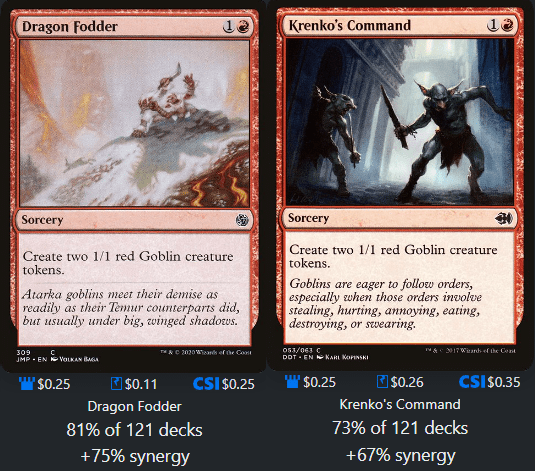
Dragon Fodder and Krenko's Command are two cards that, for all intents and purposes, are identical. They have the same effect, the same mana value, and the same card type. But their synergies are different. That's because of the equation used to find the synergy score:
(% of decks this card is in for this commander/theme) – (% of decks this card is in for color identity)
So Krenko's Command has a lower score because it’s in fewer other red decks than Dragon Fodder. This equation is also there to better show deckbuilders which cards are staples, like Sol Ring and Command Tower with consistently high synergy percentages.
What’s the “Salt Score”?
“Salt” or “salty” has to do with negative feelings about a particular card. The “salt scores” are the outcome of an annual survey that EDHREC asks its users. The users are shown a specific card and asked to give a “saltiness” rating of 0 to 4. The results are tabulated, and those specific cards are given a salt score.
The score is meant to help deckbuilders gauge how salty their opponents will be with a card or their overall deck. The higher the score, the saltier it is. These are consistently among the top saltiest cards:
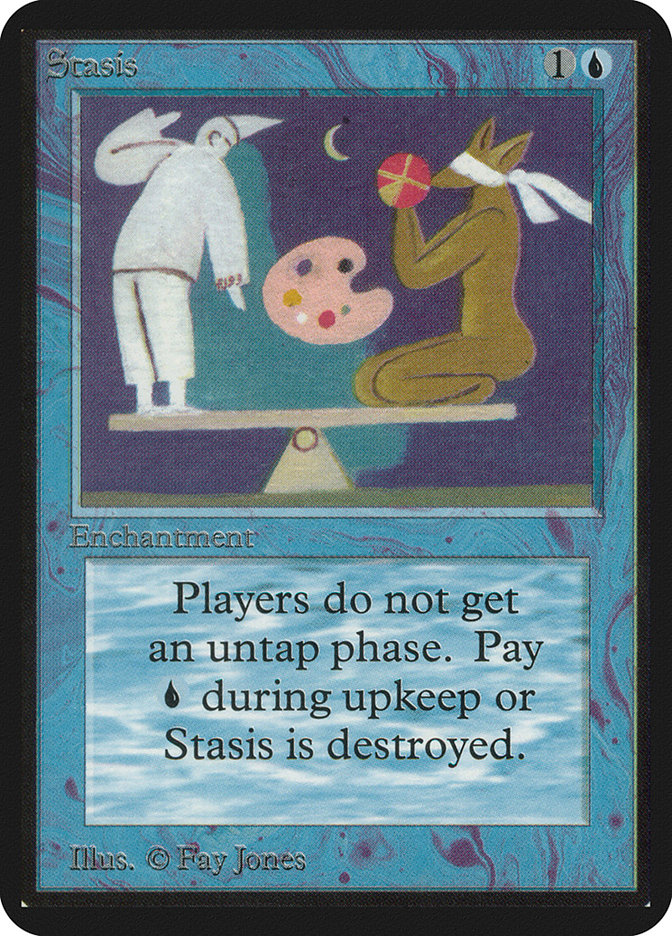
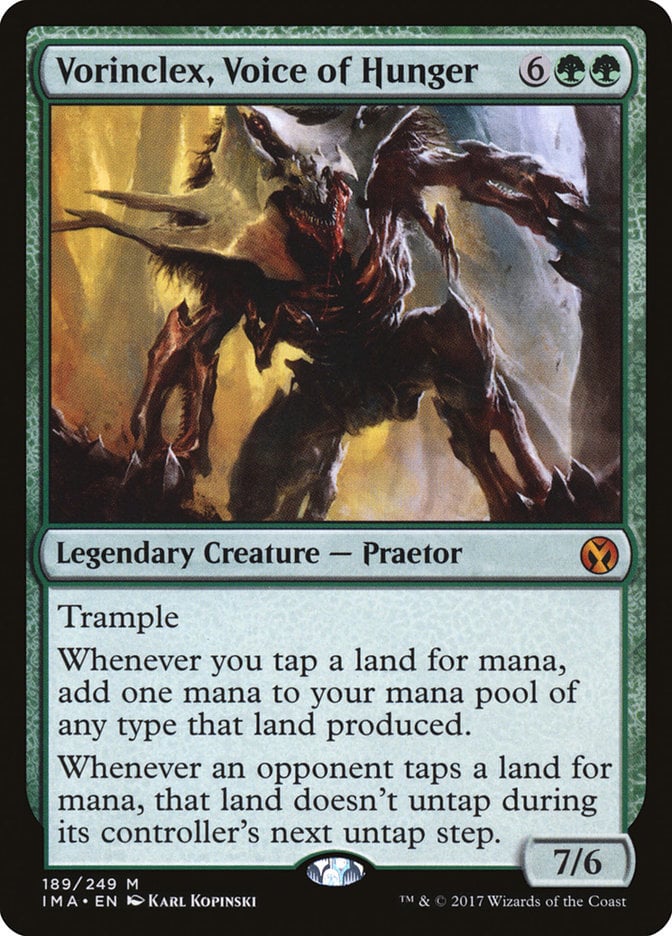
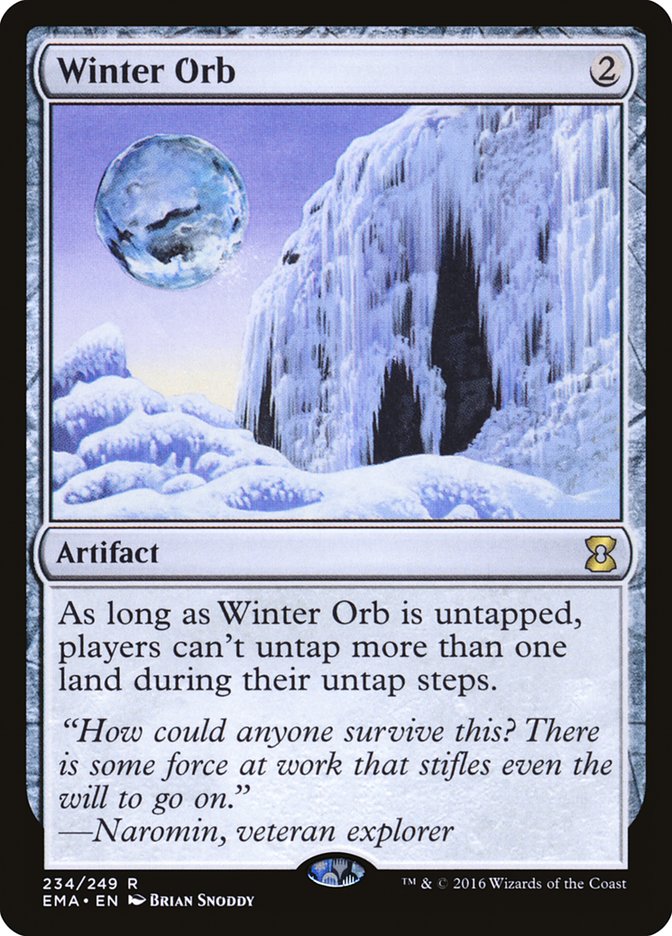
This score doesn’t mean that you shouldn’t use the card or that it’s bad. In fact, Winter Orb is in about 40,000 decks in the database. It’s just a warning of what could happen and how your deck could be viewed by those around you.
For those interested, the rest of the top salt list can be a guide of cards to use or fight against. There's a healthy amount of land destruction and stax. Take that as you will.
Tips on EDHREC

Tip the Scales | Illustration by Volkan Baga
One of the biggest discoveries that you can make about EDHREC is that it’s a major shift from netdecking, and more of a warehouse of cards. It’s a warehouse that looks less like an LGS and more like one operated by Amazon (in a data retention way).
Each card has practically everything about it tracked: which commanders are using it, how many decks are using it, what decks of what color combinations are using it, etc. There’s always something to learn with that much data, an excellent pairing with some critical Commander deck building tips.
Sting Without the Bling

The price of cards is also collected, so it’s possible to see trends and their price on Card Kingdom, and TCGplayer.
Say you’re looking at the finance side of Magic and you suddenly see some action on a card that seems out of the ordinary. It’s not from a recent set and it doesn’t seem to have an ability that helps anything. Not wanting to be left behind, you can use EDHREC’s data to your benefit.
You can look up the card and look to see if any trends are developing, like if any of the newer commanders are starting to use the card. Maybe you’d like to jump on that card before the price jumps up considerably. If no trend appears, you can just assume that the sudden popularity is coming from another format that may have gotten a meta shift with a recent release.
The EDHREC Hivemind
The shortest distance between two points is a straight line in the complete and opposite direction.
Ty Webb (Chevy Chase)
There are several different ways to build a Commander deck. Practically every commander has several themes that they can be built around, so finding the right one for you may be a bit different. Some really make your brain do flips trying to find a way to make them work a certain way. This is where the pseudo-hivemind of EDHREC can help: others have come before you and already built these decks.
Codie, Vociferous Codex is a card that forces you away from using creatures to have it on the battlefield to use its other ability. One use for it that players found very quickly after its reveal is that it’s a great target for group hug cards like Fractured Identity. It forces your opponents to face the spellcasting hindrance instead of you.
I also had no idea that you could build Codie as a cycling commander. The plan there is to cycle a bunch of creatures into the graveyard and then use mass excavation effects, like Living End, to bring them all back to the battlefield. The best part is that you can use Codie, Vociferous Codex’s ability to cast it for free by casting a one mana instant or sorcery and searching for it.
Commanding Conclusion

Firemane Commando | Illustration by Andrew Mar
EDHREC is a wonderful source of information about EDH in general, and a valuable resource for deckbuilding. It brings a mass of card stats and recommendations to you based on other players’ feedback and what they play.
Whether you want to build a brand new deck or upgrade an old one, or want to quickly see which game changers a commander has access to, I strongly suggest using EDHREC as an aggregator for you to crowd-sourced solutions. It’s easier than asking around at your LGS!
Do you use EDHREC for any other purposes? Are there any other pearls of knowledge that you want to share with everyone about using the site? Let us know in the Draftsim Discord, on Draftsim's Twitter, or in the comments.
Stay safe and stay healthy!
Follow Draftsim for awesome articles and set updates:










Add Comment