
Last updated on May 15, 2026
Mirrormade | Illustration by Volkan Baga
Mac Magic players went through a lot of hassle and technical wrangling as Magic Arena released. I didn’t have my MacBook Air when MTG Arena became available on June 25, 2020! But just playing games with other players at that time meant a world of sanity.
Skip forward to today when video calls are a regular part of school life, and I log on to Arena just as often as I check my social media. If I looked in the mirror and told myself of 10 years ago, this would be possible I wouldn’t have believed it.
Enough about me, let’s get to playing Magic on a Mac!
Where to Get and How to Install Mac’s Arena

Into the Story | Illustration by Jason Rainville
First, make sure you have the hardware to run Magic Arena and you won’t need top of the line gaming hardware.
Minimum System Requirements
- Operating System: macOS 10.12 (Sierra)
- Processor: 2.6 GHz Core i5 (I5-4278U)
- RAM: 4GB
- Graphics: HD Graphics 5000
I’ve stalled long enough, though. As I mentioned above, you can get MTG Arena for your Mac from the Epic Games Store. Let’s get to the install!
#1. Download the Epic Games Launcher
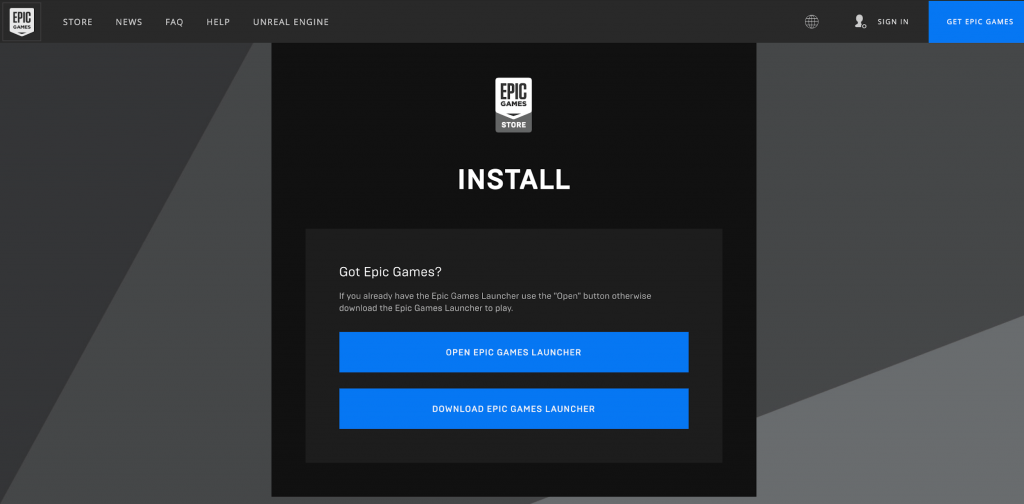
The Epic Games Launcher opens you up to a world of games, not just Magic Arena.
#2. Move the Icon to Applications
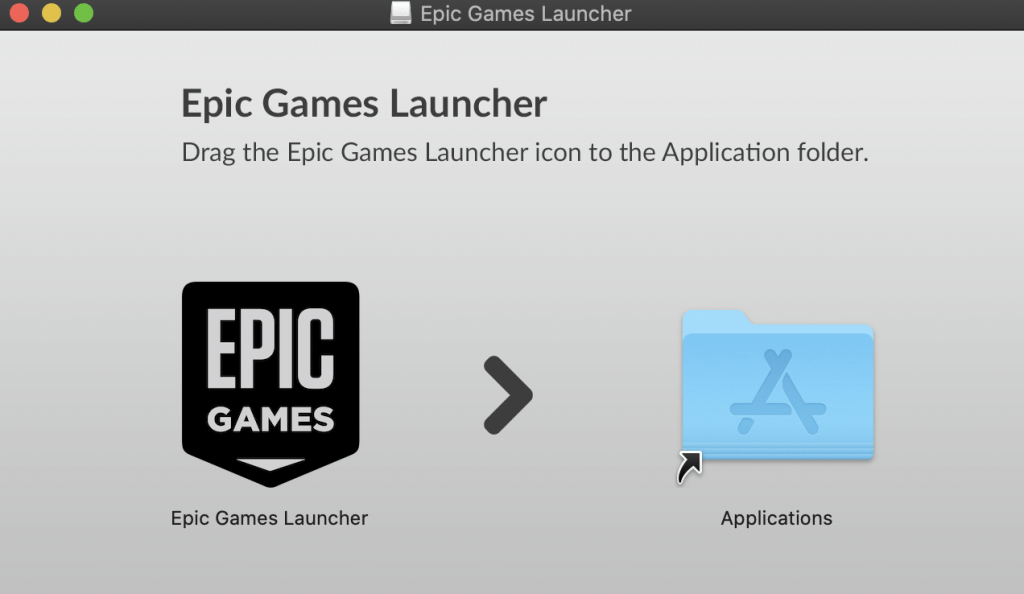
Once the installer has downloaded, drag and drop the Epic Games icon into your Applications folder and it will install and start. If it doesn’t automatically start once it’s installed, double-click the icon in your Applications folder.
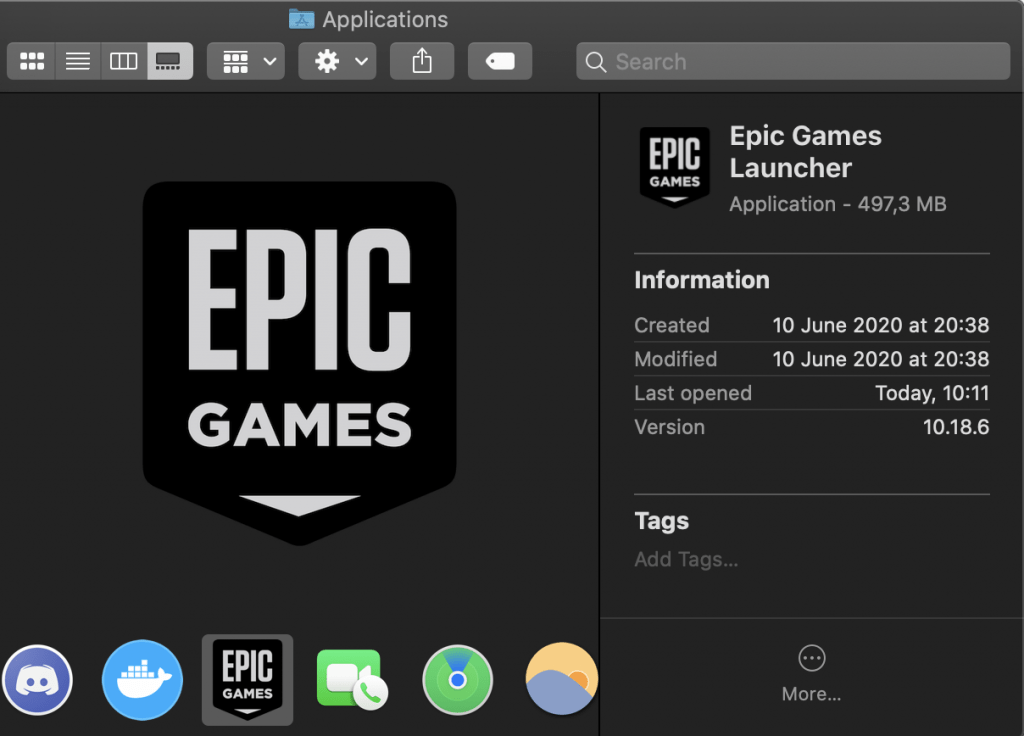
#3. Search Epic Games for MTG Arena
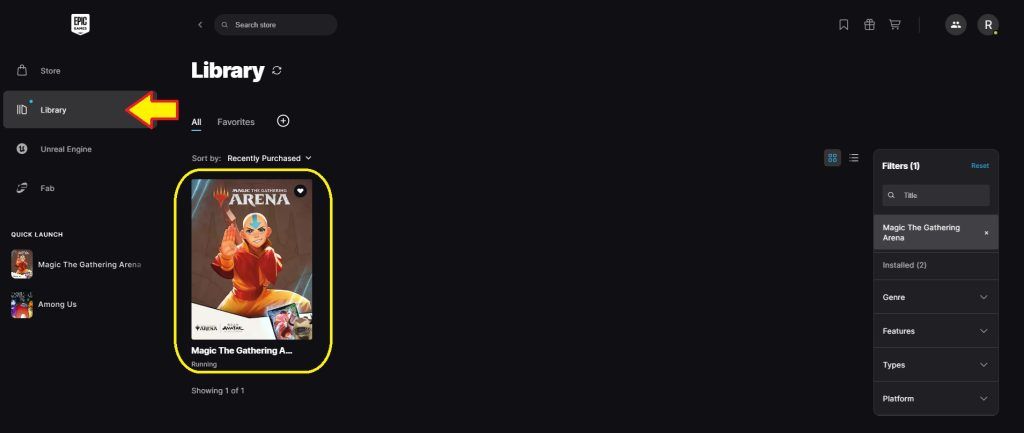
Type “Magic The Gathering Arena” into the search bar, download, and add it to your “Library”.
#4. Log Into or Create a Wizards Account
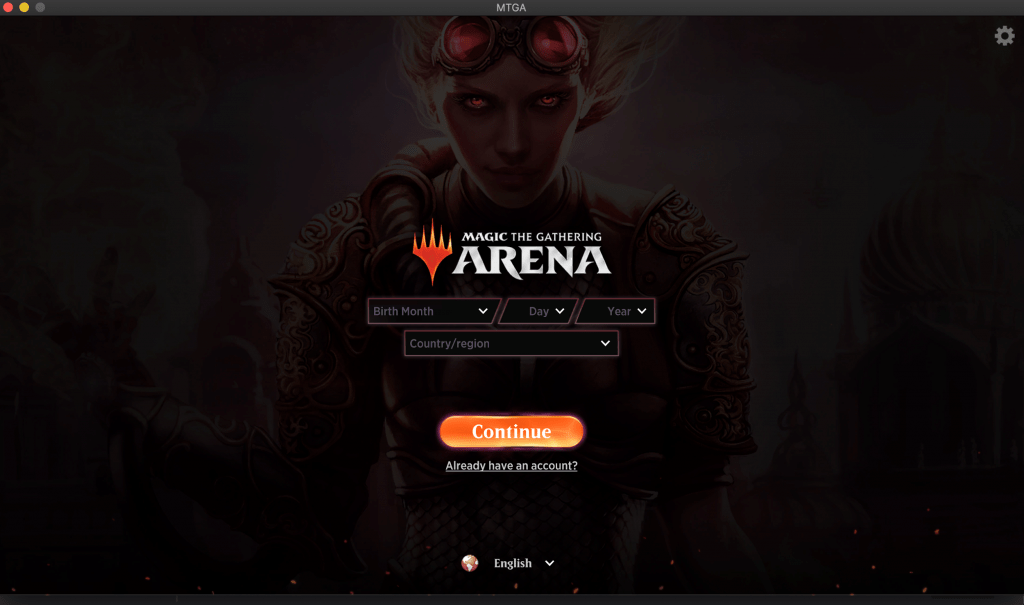
After you’ve either created or logged into your existing account, the installation will start. When that completes you can play Magic and should expect at least one update per month.
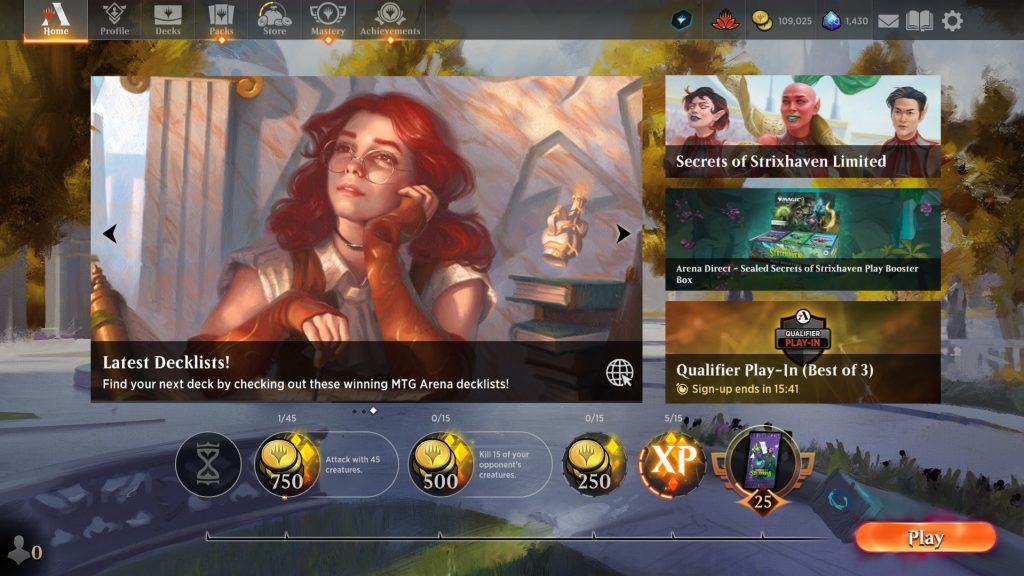
That’s it! Enjoy playing MTG Arena on your Mac. All the shortcuts, tips, and tricks for MTGA for Windows also work on the Mac version.
MTG Arena in the Finder
Once you’ve got MTG Arena installed on your Mac, you’ll be able to find the game by looking for it in the “Finder” window, like so:

You can start up MTGA without launching the Epic Games app after you first install it. It’s tucked away under:
Users → Shared → Epic Games → MagicTheGathering → MTGA

Minimize Overheating Your Mac
Many say that Mac computers aren’t the best gaming computers. I also know that MTGA can be a bit of a RAM-hog. This combination can cause your Mac to start overheating pretty fast. There are a couple of things you can do to pre-emptively help your Mac deal with it.
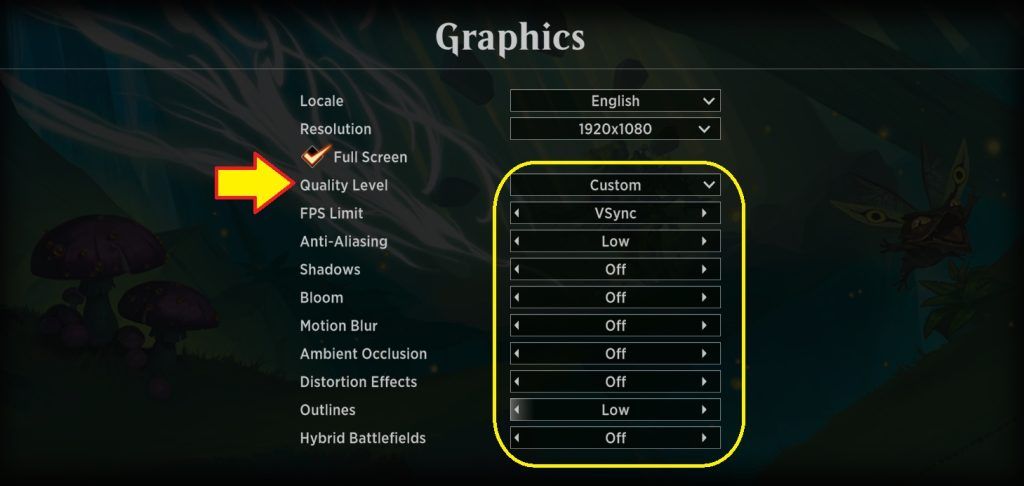
First, set your quality level to “Custom” and match the settings shown in the screenshot above. This takes away some of the animations and visual beauty of the game but will improve the way your Mac can handle the heat.
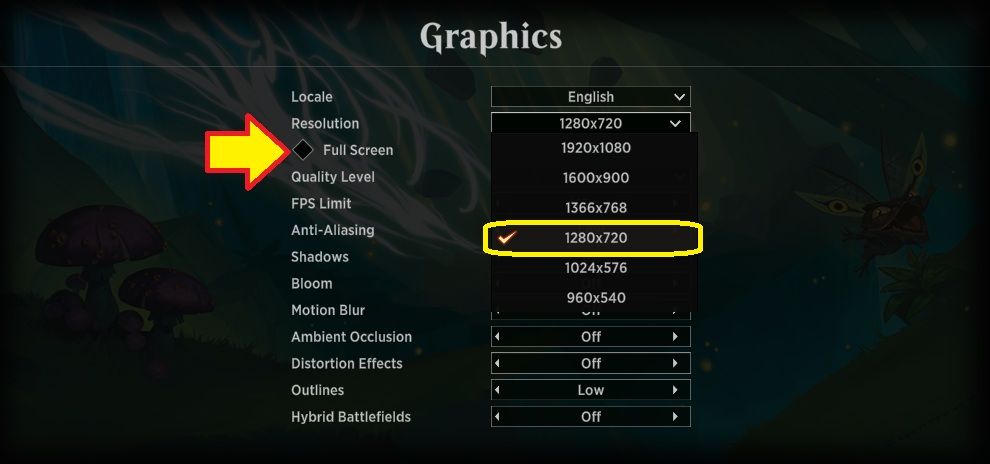
Second, adjust the graphics resolution to a lower setting. It does have the slight disadvantage that the entire Arena screen also becomes smaller, making things harder to see. Test a few resolutions on your screen, and be sure you can work with stacks of cards from a controls perspective.
Where to Find the MTGA Log File
Sometimes MTG Arena game crashes, displays bugs, or disconnects all of a sudden. WotC may ask for your log files, but where do you find them? It’s thankfully pretty simple. Just head to the file path:
Users → [Your Mac’s name] → Library → Logs → DiagnosticReports

The log file will be titled with the year, month, day, what type of instance, and on what computer the crash occurred.
Let’s hope you won’t need to use this too often and can focus on immersing yourself in the wonders of MTG Arena. But, if you do, now you know exactly where to find the data you need!
What is the Difference Between Playing MTG Arena on Windows and Mac?
The gameplay for MTG Arena is about the same on Mac and Windows. The keyboard shortcuts are a little different and the ability to use more 3rd Party software like Arena Tutor is enough to tip the scale in favor of Windows for some users.
Can I Use My MTGA Wizards Account on Both Mac and Windows?
Yes, the Arena account is the same Wizards account you can use on Mac, Windows, and the Companion App for events.
Where Do I Report Magic Arena Issues on Mac?
You can report Magic Arena issues on Mac to Wizards through their feedback page.
Do I Need to Use the Epic Game Store to Play Arena on Mac?
The Epic game store is the smoothest and most consistent way to play Magic Arena on a Mac, but there are a couple of alternatives.
What Alternate Methods Can I Do to Play Arena?
Metamorphic Alteration | Illustration by Livia Prima
Steam
Steam is a platform for playing lots of games on your computer beyond Magic Arena. It can take care of the nitty gritty stuff so you can play games smoothly, you do need to get through the nitty gritty of installing Steam in the first place though.
Mobile
You don’t need a desktop to play Magic Arena, tablets and mobile phones are capable of playing Magic, meaning the card game is more accessible than it’s ever been in it’s 30+ year history.
MTG Online on Mac
You basically need to use a virtual desktop to play MTG Online on a Mac. Parallel desktop software can let you get a few games in, but be prepared to restart applications every few games.
Think of MTGO as MTG Arena’s older brother. It’s an online client released back in 2002, and you can play virtually all of Magic’s formats with nearly the entire catalog of Magic’s card history including amazing reprints of the Power 9 in the digital-only set Vintage Masters.
Are you a fan of Commander? Pauper? Modern? Vintage Cube? Legacy Cube? Legacy? Then MTG Online is perfect for you, as it features all of these and plenty more. Other than formats, there are a few more differences between Arena and Online. Take a look:
- Cards are bought using real world money which is exchanged for tickets or “tix”
- You can trade cards with other players
- It’s free to download, with a one-time registration fee of $4.99
- The look and playstyle is closer to IRL magic and doesn’t feature animations or sound effects
- There are no daily goals or ladders to climb
- Wildcards don’t exist
Wrap Up
Aethermage's Touch | Illustration by Randy Gallegos
I hope this helps you play more Magic on your Mac. If you’ve got another Apple device, MTGA is available for iOS, so if you can handle the setup, there are lots of options to play MTGA digitally.
What’s your tip for playing Arena on a Mac? Ready to meet your Arena tour guide? Hate waiting on downloads? Try your hand at drafting right now with our draft simulator, it only needs a web browser.
See you next time!
Note: this post contains affiliate links. If you use these links to make a purchase, you’ll help Draftsim continue to provide awesome free articles and apps.
Follow Draftsim for awesome articles and set updates:










19 Comments
Thanks for the article, gives hope to all Mac players! However, I think it should be highlighted that Wine doesn’t work under macOS Catalina (just like any other 32bit app), so if you update (like I accidentally did) you can’t play with Wine anymore. I also tried playing with Parallels but it’s painfully slow even with the lowest graphic setting.
Thanks, this is an excellent tip! (And also distressing)
Thank you for the tip, Daniela. Catalina has more programs up in arms at the moment. When I updated I had to search for a number of alternatives myself. A few did mention they were working on a Catalina compatible version.
By far the easiest method I’ve tried is Nvidia GE Force Now. It’s in Closed Beta now, so you have to request access, but once you are in (took about a week for me), you can play Arena through it on Mac.
Main downside is you have to have a good internet connection, since you’re essentially streaming the game, but if you don’t mind it being a little choppy, a normal home internet connection works fine. Also, it sometimes takes them a while to download updates, so the game won’t work while they’re patching the game. (Sometimes a few hours.) But overall it works great.
Boot Camp really solved this. Thanks for this article!
When I launch MtG on Windows with bootcamp, all I get is a black screen and the red cursor. Any idea what I’m doing wrong!?
Hi Liz,
It looks like it is another bug: https://feedback.wizards.com/forums/918667-mtg-arena-bugs/suggestions/39937690-black-screen-again?page=11&per_page=20
I solved it with the suggestion in the thread in the link above. Go to https://support.microsoft.com/en-us/help/2977003/the-latest-supported-visual-c-downloads and downloaded and installed x86: vc_redist.x86.exe and x64: vc_redist.x64.exe. After reboot MTG Arena worked fine again. Hope this helps.
You can play it also about GEFORCE NOW. I think it is the easiest way!
Interesting suggestion, we’ll check this out!
Article has been fully updated with instructions 🙂
Any updates?
Nope, WotC has not committed to any specific timeline or released anymore news. The alternatives outlined above are your only option.
I am using Splashtop Personal client/server. Server on PC that sits somewhere in my house. Client on my mac/phone/wherever. Works great.
When will arena tutor be available for IPad?
Unfortunately, MTG Arena does not provide log files on mobile devices like it does on desktop. So tracker apps are unable to work on mobile while they can on desktop.
When will arena tutor be available on MacOS?
There are currently no plans for this, thanks.
Any chance MTG Online will be released to Mac OS? That would be better than Arena, even though I have quite a collection on their, I’d rather have more people to play with, with actual conversation.
I doubt MTGO’s coming to anything it’s not already on, not sure how much incentive there is to expand the program at this point. Though Daybreak Games has been pretty involved, so never say never.
Add Comment